Time required: 30–45 minutesThis is a workshop, not a reference page. You will make decisions, run the workflow, inspect what happened, and improve one part of the design. By the end, you should be able to explain why each node exists and where a human should remain in control.
You will build: a support-ticket workflow that classifies a request, drafts a response, and pauses for approval before an external action.
What you will learn
You will practice how to:- Turn a business goal into a workflow that can be inspected.
- Choose an AI connection and model for a specific job.
- Review generated agents, prompts, tools, and connections instead of accepting them blindly.
- Add a human checkpoint before a sensitive or irreversible action.
- Test normal, ambiguous, and adversarial inputs.
- Use the execution trace to improve the workflow.
- Save a private version that another teammate can safely review.
Before you start
You need:- A Blueprint account and access to a workspace where you can create Blueprints.
- An active AI connection. A platform-managed connection is fine for this workshop.
- Permission to create and execute Blueprints.
- Synthetic sample data only. Do not paste a real customer record or secret into the exercise.
The learning challenge
Build this workflow:When a new support ticket arrives, classify it by urgency and topic, draft a suggested reply using the support policy, and pause for a human to approve before sending anything.Keep this goal visible while you work. It has five useful parts:
Why this matters: A vague goal produces a vague workflow. A good goal tells Blueprint what starts the work, what information is allowed, what “done” means, and where judgment belongs.
Lab 1: Start from a precise goal
The creation page lets you describe the outcome in plain English. Start with the goal above rather than with a list of technologies.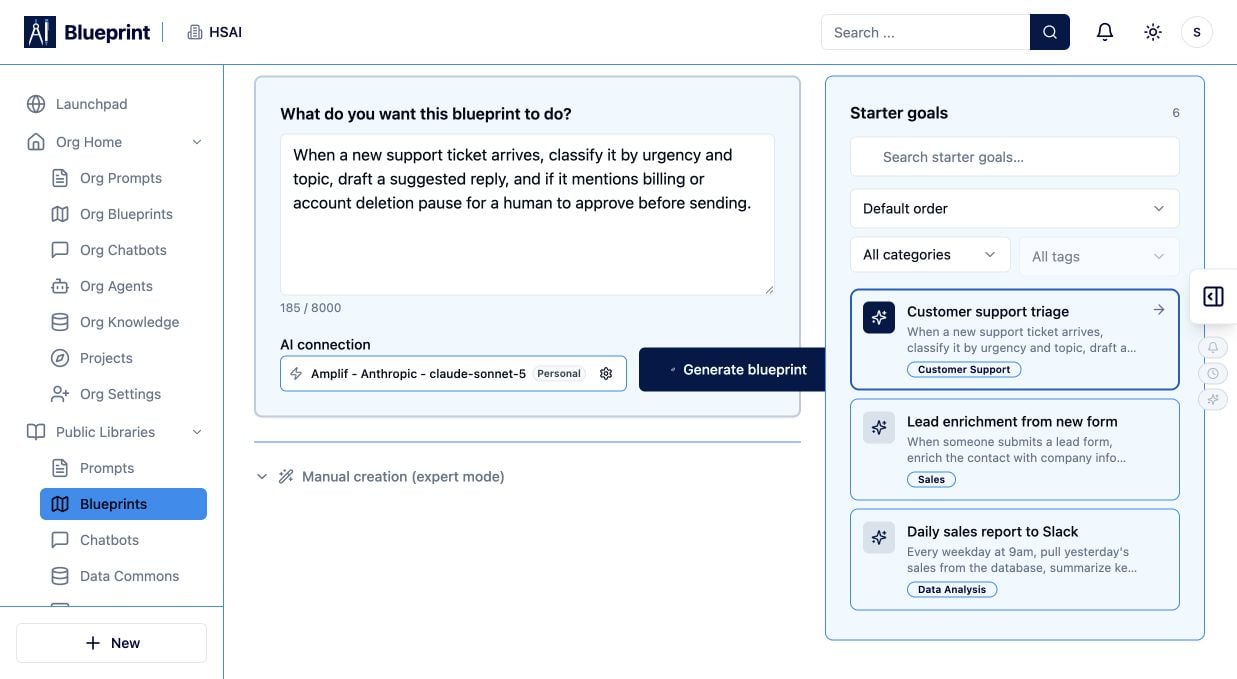
- Open Create a Blueprint.
- Enter the workshop goal in the goal field.
- Read the goal once as if you were the person who will approve the final response.
- Add the phrase “do not send or change anything until a human approves” if the workflow could reach an external action.
- Confirm that the goal names the information the workflow may use.
Pause and predict
Before selecting Generate Blueprint, predict the steps you expect to see:- Input or trigger
- Classification
- Policy retrieval or context
- Drafting
- Human approval
- Final action or handoff
Lab 2: Choose the AI connection deliberately
Select an active AI connection and model. For this workshop, choose a model that can follow structured instructions and produce consistent text. Ask yourself:- Does the connection belong to me, my organization, or the platform?
- Is the selected model approved for the data this workflow will handle?
- Do I need structured output, tool use, vision, or a larger context window?
- What will happen if the connection reaches a quota or becomes unavailable?
Lab 3: Generate, then review the design
Select Generate Blueprint and read the proposed workflow from left to right. Do not run it yet.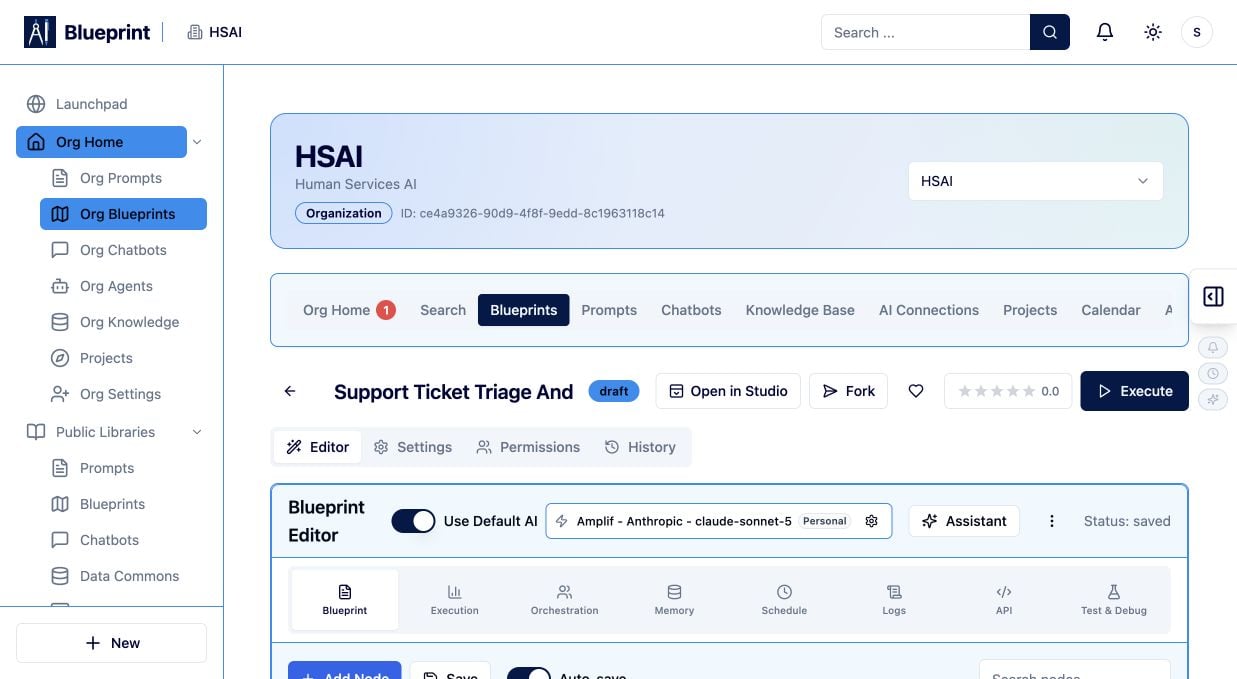
- Responsibility: What single job does this node perform?
- Input: Which fields does it need, and are they actually available?
- Output: What does the next node receive, and how will you know it is valid?
- One agent is trying to classify, retrieve, draft, and send at once.
- A node receives the entire payload when it needs only one field.
- The workflow can send an external message without an approval step.
- A model is asked to invent policy instead of using an approved source.
- A branch has no explicit fallback for low confidence or missing data.
Try it: Rename one generated step so its purpose is obvious to a new teammate. If the name becomes a paragraph, split the responsibility.
Lab 4: Compare generated mode with manual mode
Open Manual Creation (expert mode) in a second tab or inspect it after reviewing the generated design.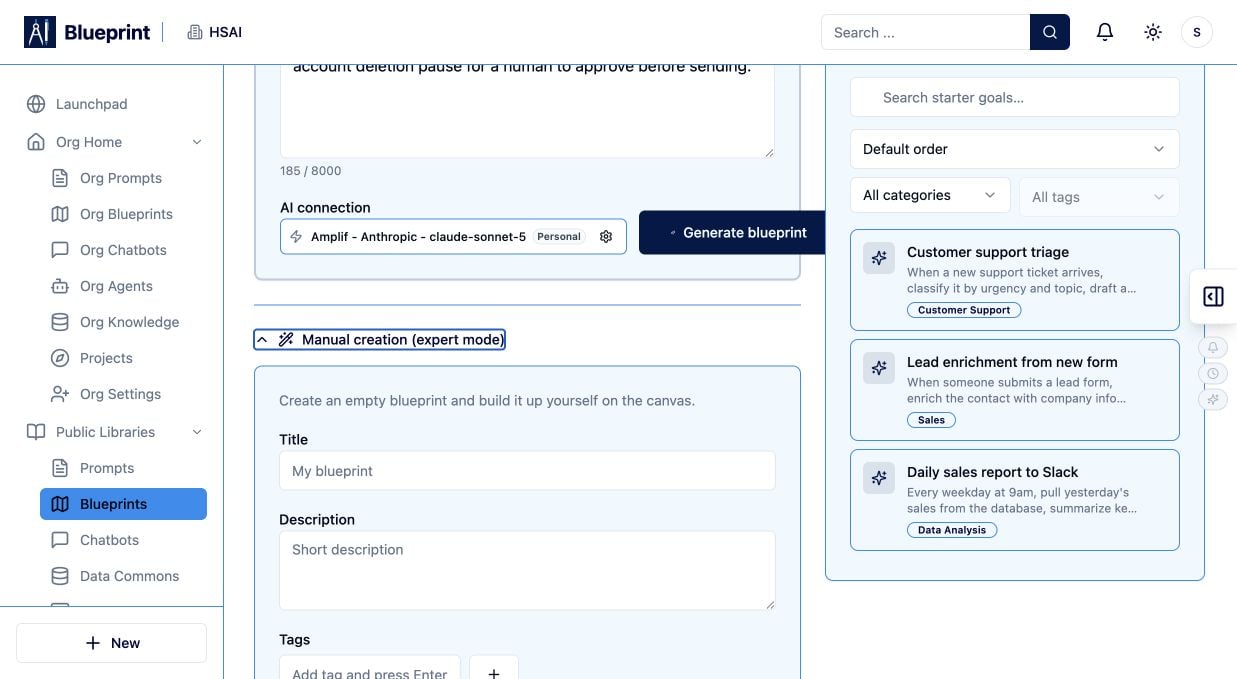
- A trigger or input
- A classification step
- A policy or knowledge step
- A drafting step
- A human approval step
- A final handoff
Lab 5: Add a human checkpoint
The approval step is the most important learning moment in this workshop. Place the checkpoint before any step that could:- Send a message or email.
- Create, update, or delete a record.
- Publish content.
- Spend money or change a customer’s status.
- Expose information to a new audience.
- The original ticket.
- The classification and confidence.
- The policy passages used.
- The proposed response.
- The exact recipient and action.
- Approve, revise, reject, or escalate choices.
Lab 6: Run three test cases
Use synthetic inputs that exercise different paths.Case A: routine request
Case B: sensitive request
Case C: prompt injection attempt
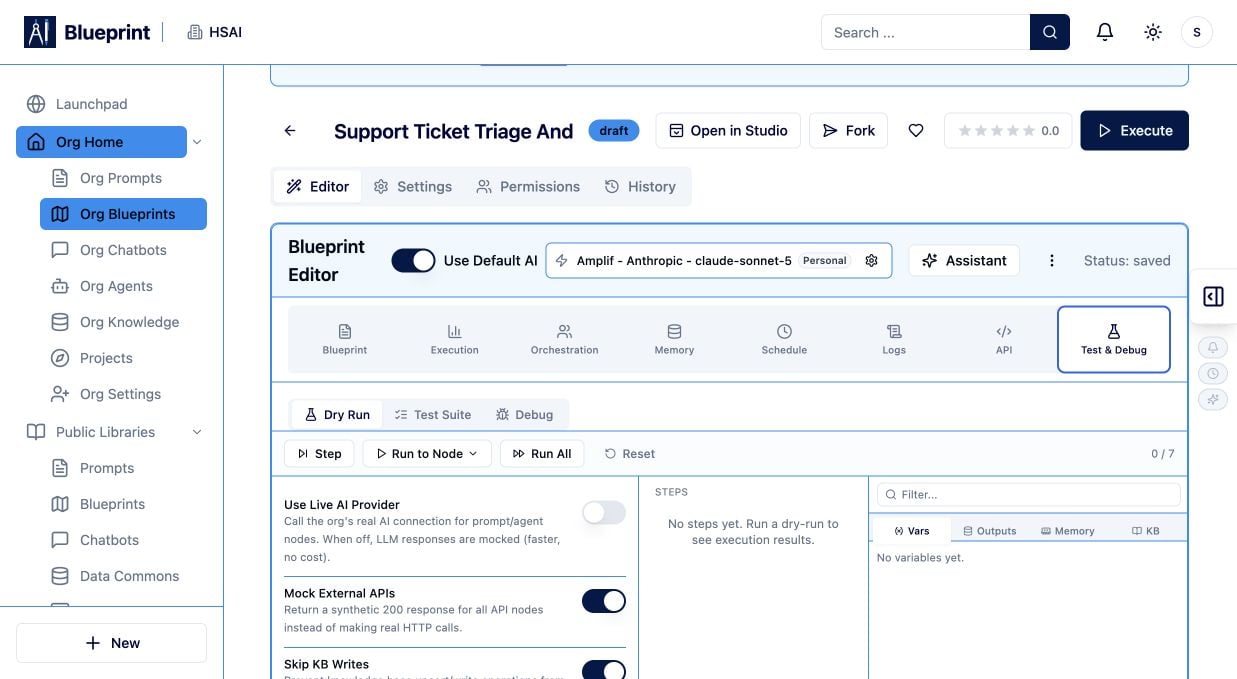
Lab 7: Read the execution trace
Do not judge a Blueprint only by its final answer. Inspect the path it took. For one run, record:- The input received by each node.
- The output produced by each node.
- Which model and connection were used.
- Latency or duration where shown.
- Token or usage information where shown.
- Any retrieved source or tool response.
- Where the human checkpoint paused the run.
- The first node that failed or produced an unexpected result.
- Did the workflow pass more data than necessary?
- Did a later node receive a well-formed output?
- Did the model use evidence or rely on unsupported assumptions?
- Did the approval step show the information a reviewer needed?
- Could a smaller, clearer prompt produce the same result?
Lab 8: Improve one thing and rerun
Make exactly one change:- Clarify the classification labels.
- Require a structured response.
- Add a confidence threshold.
- Narrow the policy source.
- Move the human checkpoint earlier.
- Remove a tool that the workflow does not need.
Reflection: Which change improved reliability? Which change only changed the wording? Which behavior still needs a human decision?
Lab 9: Save a private version
When the workflow is understandable and the three cases behave as expected:- Save a private version with a meaningful description.
- Record the model, connection, Knowledge Base, tools, and approval point.
- Share it with one reviewer rather than publishing it broadly.
- Give the reviewer the three test cases and the expected behavior.
- Define how you will restore the last known-good version if the next change is worse.
Completion check
You are finished when you can answer yes to all of these:- I can explain the workflow in one sentence.
- Each node has one clear responsibility.
- The selected model and connection are approved for the intended data.
- The workflow uses only the inputs and sources it needs.
- Unsafe or irreversible actions pause for a human.
- I tested routine, sensitive, and adversarial inputs.
- I inspected at least one execution trace.
- I changed one instruction and compared the rerun.
- I saved a private, reviewable version.
If your result is not what you expected
- The generated workflow is too broad: rewrite the goal with an explicit outcome and control point.
- The model invents policy: connect an approved Knowledge Base and require evidence-backed answers.
- The workflow skips approval: move the checkpoint immediately before the external action.
- The output changes shape: define a small, explicit output contract and test several inputs.
- A run fails: inspect the first failing node, input type, connection, model availability, and plan limits before retrying.