Time required: 25–40 minutesThis lab teaches the reasoning behind a good Knowledge Base: choosing the right source, preparing content, checking processing, testing retrieval, and deciding what can be shared. The goal is not to upload as much as possible. The goal is to make the right evidence easy to find.
You will build: a small, focused Knowledge Base that answers policy questions with evidence from approved documents.
What you will learn
You will practice how to:- Choose a clear purpose and boundary for a Knowledge Base.
- Separate source content from instructions.
- Add documents or connected sources in the workspace Knowledge Base area.
- Check vectorization and processing before using the content.
- Test retrieval with questions that should and should not have answers.
- Improve source quality instead of hiding weak retrieval with a larger model.
- Connect approved knowledge to a Blueprint or Chatbot.
- Decide whether a resource should remain private, be shared with an organization, or be published for public reuse.
Before you start
You need:- A Blueprint account and permission to create or edit Knowledge Bases in a workspace.
- Two or three synthetic or approved documents about one topic.
- An active AI connection if you plan to test through a Blueprint or Chatbot.
- A short list of questions with known answers.
The learning challenge
Build a Knowledge Base that answers these questions:- What should a support agent do when a customer asks to delete an account?
- When must a request be escalated to a human?
- Which actions require identity verification?
Why this matters: Retrieval quality is a product decision. A Knowledge Base is trustworthy only when its sources are current, authorized, findable, and clear about what they do not cover.
Lab 1: Start from the workspace Knowledge Base area
Open the signed-in workspace and select Org Knowledge or Knowledge Base. You can also use Open knowledge bases.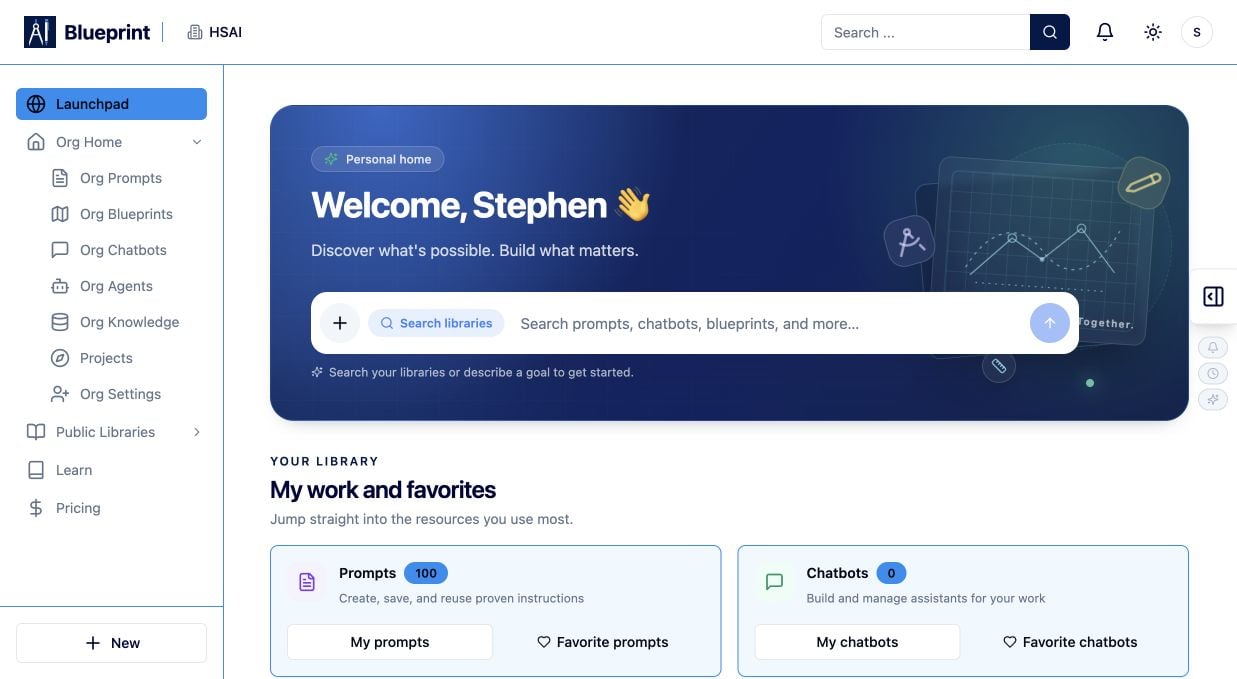
- Existing Knowledge Bases and their visibility.
- Document set count and document count.
- Processing or vectorization status.
- The New KB action.
Pause and decide the boundary
Write one sentence:This Knowledge Base is the approved source for ________, and it does not cover ________.If the sentence contains several unrelated subjects, create separate Knowledge Bases or document sets. Narrow boundaries make testing and governance easier.
Lab 2: Create the Knowledge Base
- Select New KB.
- Give it a name a teammate can understand, such as Support Policy — Practice.
- Add a description that says who should use it and what it contains.
- Choose the narrowest visibility that supports the lab.
- Create the Knowledge Base.
Lab 3: Add a document set
Open the new Knowledge Base and find Document Sets.- Select the plus button.
- Create a focused folder or document set if that helps you separate policies from reference material.
- Add one source at a time.
- Record the source name, owner, last-reviewed date, and intended audience.
- Upload Files for documents you already have.
- Add Text for a small, controlled piece of content.
- Add JSON for structured records.
- Add API Endpoint for a source maintained elsewhere.
- Connect Git Repo for versioned documentation.
- Add SQLite DB for an approved local data source.
- Link Cloud Storage for an approved storage location.
- Spider Website when a website is the maintained source.
Lab 4: Prepare content that retrieves well
Before you upload, improve the source:- Use descriptive headings.
- Put one decision or procedure in each section.
- Define acronyms the first time they appear.
- Keep policy language direct and consistent.
- Put exceptions next to the rule they qualify.
- Include an owner and review date.
- Remove navigation menus, repeated footers, tracked changes, and stale copies.
- Remove secrets and personal data that the model should never see.
Learning check: If a reader can understand the rule without seeing the rest of the file, retrieval is more likely to return a useful passage.
Lab 5: Wait for processing and vectorization
After adding content, wait for processing to finish. Documents are extracted, split into searchable chunks, and embedded for retrieval. Check:- The document appears in the intended document set.
- Processing completes successfully.
- The Knowledge Base reports a usable or vectorized state.
- Failed documents have a useful error message.
- The source permissions still match the intended audience.
Lab 6: Test retrieval before using an AI answer
Use questions whose answers you can locate in the source. Start with exact questions, then try natural variations.Question set
- The question.
- The passage or source returned.
- Whether the passage actually supports the answer.
- Whether the source name or citation is available.
- Whether the result exposes content the user should not see.
Do not reward a confident guess. A polished answer without supporting source content is a retrieval failure, not a success.
Lab 7: Improve retrieval one variable at a time
If results are weak, change one thing and rerun the same questions:- Rewrite a vague heading.
- Split an oversized document into focused sections.
- Remove duplicated or stale versions.
- Add missing terms and synonyms.
- Fix malformed JSON or unreadable scanned text.
- Review document-set chunk settings when the workspace exposes them.
- Check that the executing user or deployment can access the source.
- Re-index after changing the embedding model or provider.
Lab 8: Connect the source to a Blueprint or Chatbot
Once retrieval is reliable:- Open the Blueprint or Chatbot that needs the source.
- Select the Knowledge Base or document set in the relevant configuration.
- Pass only the user question and necessary context into retrieval.
- Instruct the answer step to cite supported material and refuse unsupported claims.
- Keep writes, messages, and other external actions behind a human checkpoint.
- Test with the same question set again in the actual workflow.
Lab 9: Decide how to share the resource
Use the smallest audience that supports the outcome:- Private: draft content, sensitive material, or a source under review.
- Organization: approved content for teammates who need it.
- Public reuse: content intentionally prepared for Public Libraries or a public-facing asset.
- You own or are allowed to redistribute every source.
- The source contains no secrets or unnecessary personal information.
- The owner and review date are clear.
- The intended audience understands the limits.
- A stale-source or deletion process exists.
- A Chatbot or Blueprint will not reveal restricted context through citations or summaries.
Lab 10: Test the failure modes
Try these controlled failures:- Ask a question outside the source boundary.
- Use a synonym that does not appear in the document.
- Remove one source and rerun a question that depended on it.
- Ask for a secret or private record that should not be returned.
- Change the active version or permission and compare results.
- Add a document with an intentionally unreadable or unsupported format.
- A grounded answer with a citation.
- A refusal because no evidence exists.
- A request for clarification.
- A permission or ingestion fix.
- A human escalation.
Completion check
You are finished when:- The Knowledge Base has a clear purpose and owner.
- The source set is small enough to review.
- Processing and vectorization complete successfully.
- Known-answer questions retrieve the right evidence.
- An out-of-scope question does not produce an invented answer.
- The connected Blueprint or Chatbot cites approved context.
- Access, retention, and sharing decisions are documented.
- You know how to replace stale content and re-index safely.
If your result is not what you expected
- No results: check processing status, source permissions, indexing, query wording, and document-set filters.
- Wrong results: remove duplicates, sharpen headings, split unrelated topics, and test one source at a time.
- Outdated answers: identify the stale source, remove or replace it, and re-index before retesting.
- No citation: verify that source metadata is passed into the answer step and that the prompt requires evidence-backed citations.
- Private content appears: stop the deployment, review permissions and document-set membership, and remove the content from the response path.
- A connected source fails: inspect credentials, endpoint access, rate limits, source format, and the last successful sync.