What is a Blueprint?
A Blueprint is a reusable AI workflow made from connected nodes. Each node performs a step, passes its output forward, and can be configured with inputs, models, tools, or human review. A Blueprint packages the workflow so it can be tested, reused, forked, and shared.Key concepts
- Nodes are the individual workflow steps. A node has a type, configuration, inputs, and an output.
- Chains connect node outputs to downstream inputs so work moves through the workflow in a predictable order.
- Variables let you supply different runtime values without editing the workflow. Use clear names and document the expected format.
- Versions preserve changes over time so you can test and review updates before using them broadly.
Browse public Blueprints
- Open Public Libraries and select Blueprints, or go directly to iblueprint.ai/blueprints.
- Search with Search blueprints….
- Use Categories… and the sort control. The current sort options are Last Updated, Date Created, and Name.
- Review a published card’s description, visibility, categories, creator, and rating.
Fork a Blueprint
Select Fork blueprint on a public card to copy the workflow into your workspace. Forking gives you a separate version to inspect and adapt while leaving the public Blueprint unchanged. Sign in when Blueprint requests it.Blueprint lifecycle
- Draft: create or fork a workflow, configure its nodes, and test its behavior.
- Published: share a reviewed version with the intended audience. Record what changed and what inputs, permissions, and dependencies it expects.
Build reliable Blueprints
- Give every node a clear purpose and define the expected input and output.
- Make model, tool, knowledge, and human-review dependencies explicit.
- Use safe test data and verify failure, timeout, and handoff behavior.
- Review permissions and data handling before sharing or publishing.
- Fork public workflows before making changes so the source remains intact.
Public Blueprints are starting points. Test a fork with representative, non-sensitive data before connecting it to production systems or consequential decisions.Current Public Libraries view
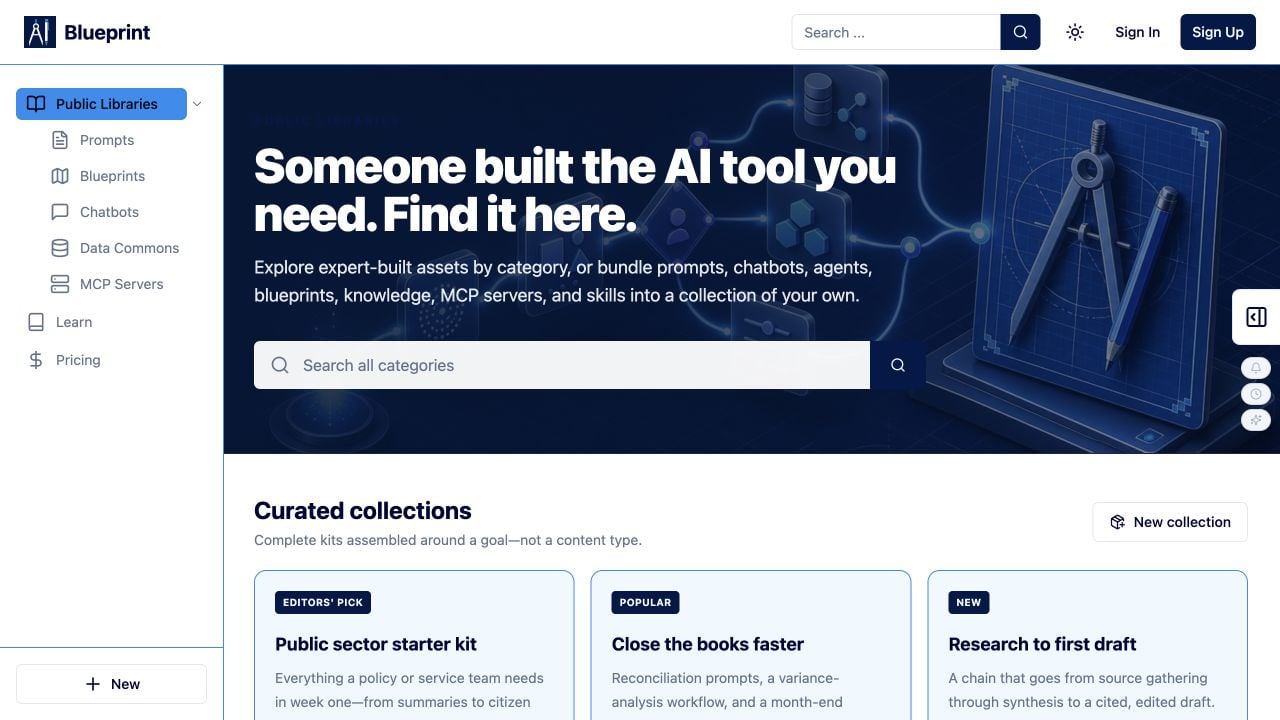 The Public Libraries page is the starting point for finding published Blueprints and other reusable assets.