
Open the agent manager
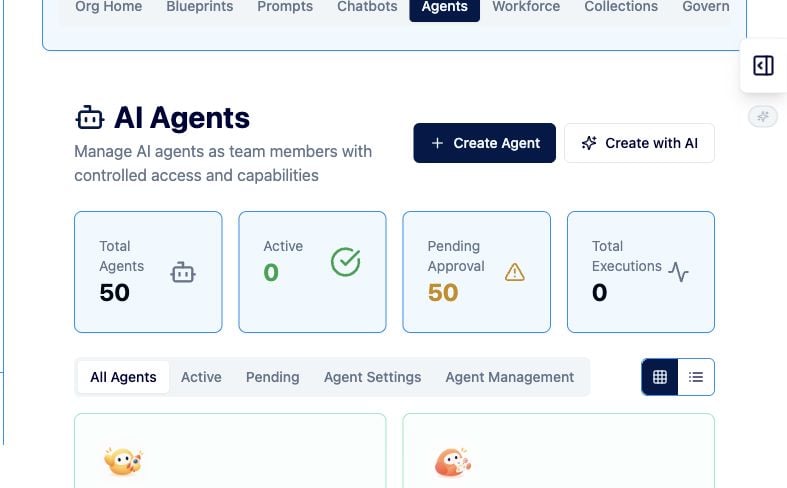
- Open Organization → Agents, or visit /my-org/agents.
- Review the agent list, pending approvals, and current execution counts.
- Select Create Agent. Use Create with AI for the assisted creation flow.
Complete the creation flow
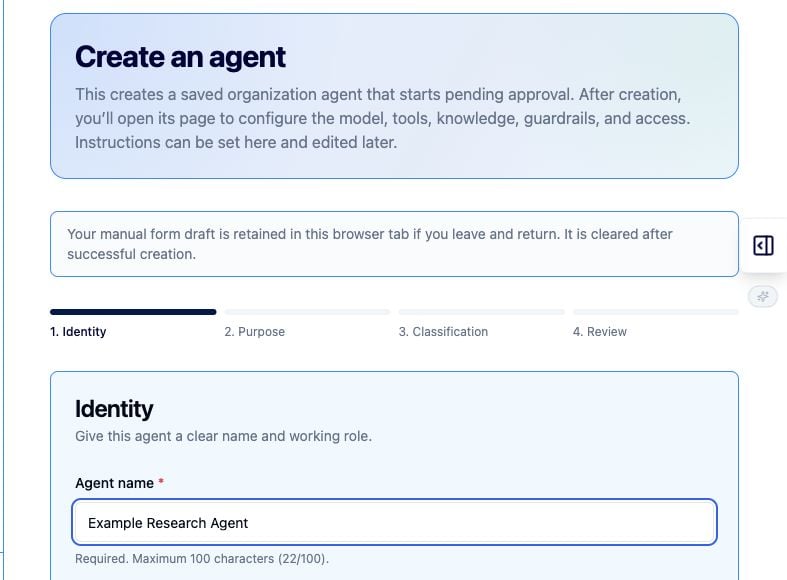
- On Identity, enter a clear Agent name, choose a Role, and select an avatar.
- On Purpose, describe what the agent does and add optional system instructions.
- On Classification, choose up to six categories, add comma-separated tags, and set visibility.
- On Review, confirm the details and select Create agent.
Configure and approve the agent
- Open the saved agent’s details page.
- Configure the provider and model before activation.
- Configure tools, knowledge, guardrails, capabilities, and access.
- Submit the agent for organization approval.
- Activate it only after an authorized approver completes review.
Agent review checklist
- Is the purpose narrow enough to test?
- Are the instructions clear about what the agent must and must not do?
- Are tools, knowledge sources, and domains limited to the use case?
- Has the agent been tested with representative and boundary-case inputs?
- Are the owner and approval path documented?