
Open the tool builder
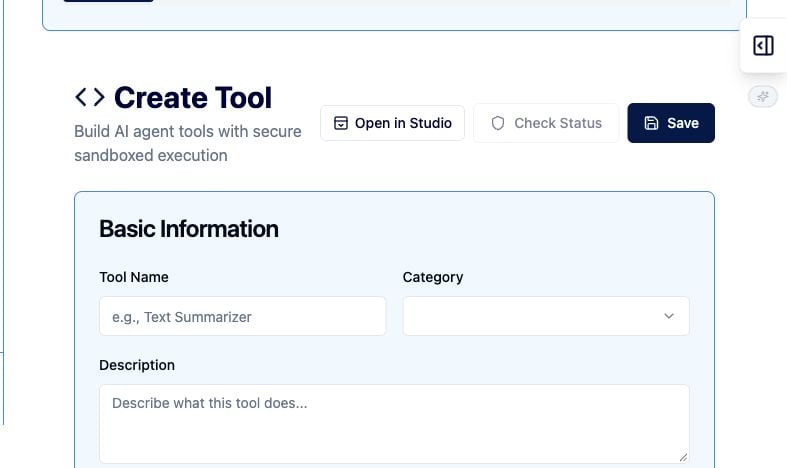
- Open Organization → Agent Tools → Create Tool, or visit /my-org/tools/new.
- Enter a descriptive Tool Name, choose a Category, and describe the purpose.
- Add tags for discovery and review.
Define inputs and permissions
- Add each required value under Input Parameters.
- Give each input a stable name, type, and useful description.
- Choose the least-privileged Permission Level (Sandbox Tier).
- Start with Restricted (Tier 0) for pure computation with no I/O or network access.
- Request a higher tier only when the use case and approval process require it.
Implement and verify the tool
- Write or generate the implementation in Tool Code.
- Validate inputs before use and return a predictable result shape.
- Select Verify to analyze the tool.
- Use the test runner with representative JSON input.
- Fix warnings and retest until behavior is understood.
- Select Save only when the code, inputs, permissions, and verification results are ready for review.
Tool review checklist
- Does the tool do one clearly defined job?
- Are inputs validated and documented?
- Does the code avoid unnecessary I/O, network, or external side effects?
- Is the sandbox tier the minimum required?
- Have normal, invalid, and boundary-case inputs been tested?
- Is the tool ready for organization review and approval?